Sing every song in your key.
PAX Karaoke turns an Android tablet into a karaoke machine on your TV. Everyone picks YouTube songs from their own phone, into one shared queue.
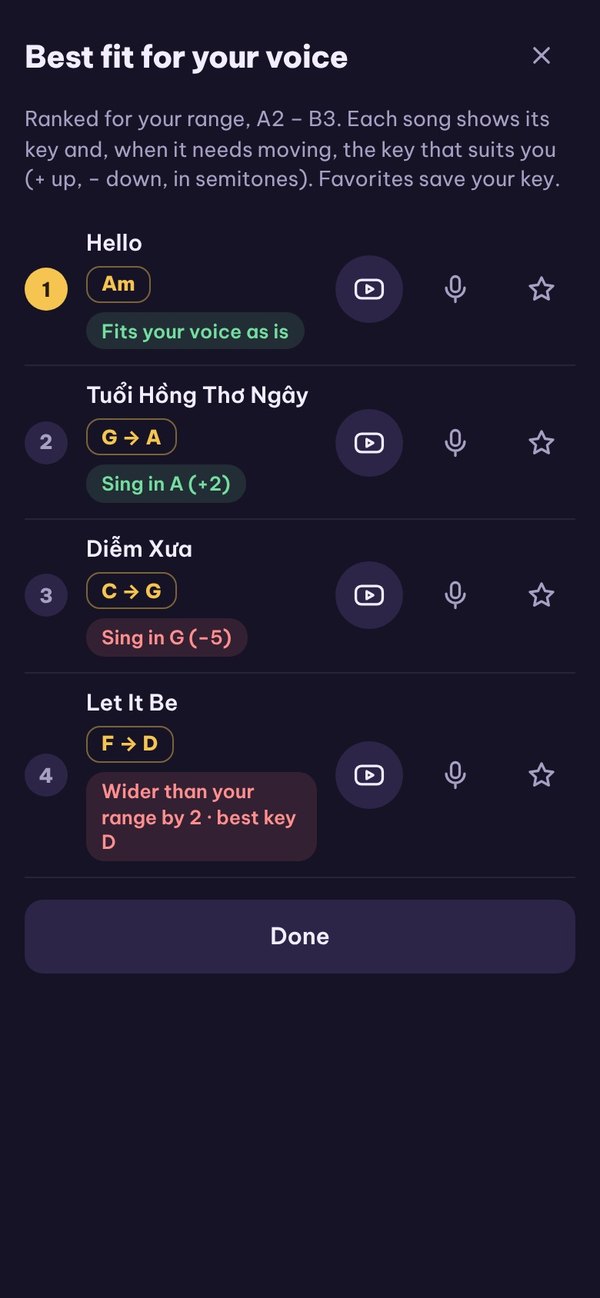
Three steps to the first song
Plug the tablet into the TV
Open PAX Karaoke TV on an Android tablet and connect it to the TV with a USB-C to HDMI cable.
Scan the QR code
In the PAX Karaoke Remote app, scan the code on the TV. One scan joins the Wi-Fi and connects.
Pick songs and sing
Search YouTube, tap +, and the song joins the queue under your name. The TV plays it full screen.
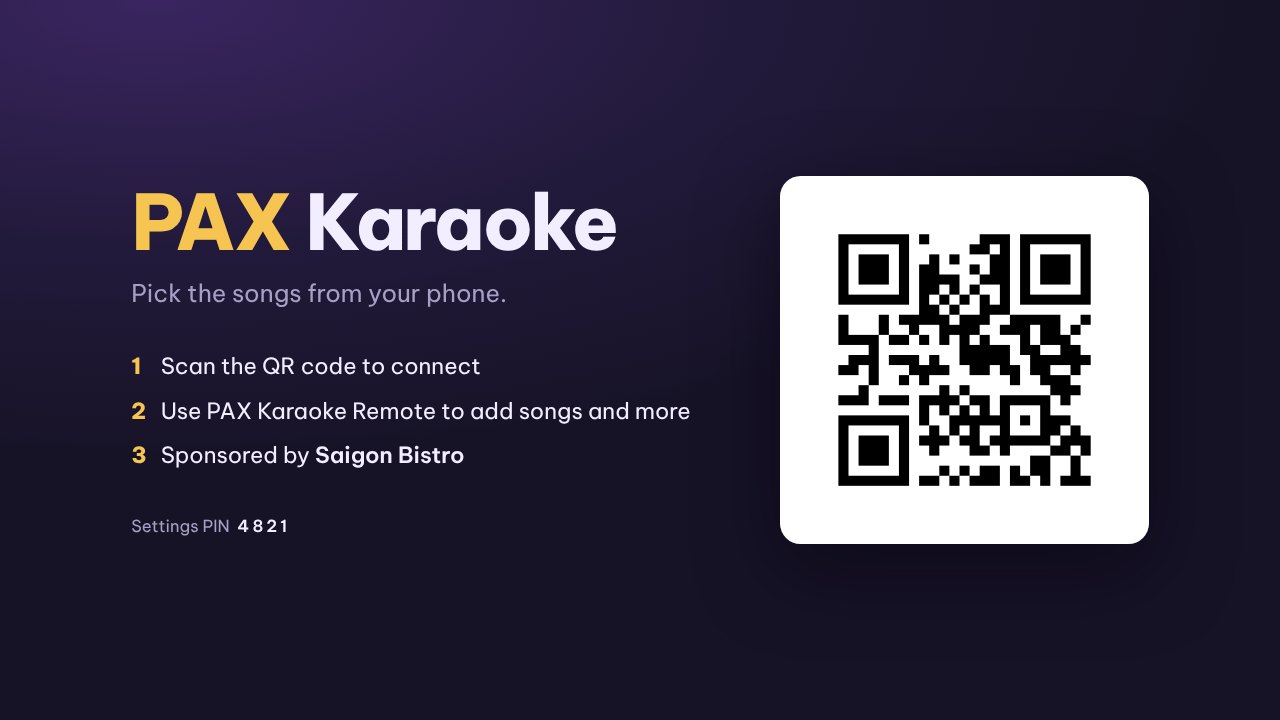
See it in under three minutes
Connecting, searching, scanning for your key, practice, the vocal range test and settings, step by step on the phone.
Karaoke tracks only, in your language
- Kara is on by default: just karaoke versions, no music videos or vocal tracks.
- Each result shows male key, female key or duet, the length and the channel.
- Search in Vietnamese, English, Korean, Japanese, Chinese and more.
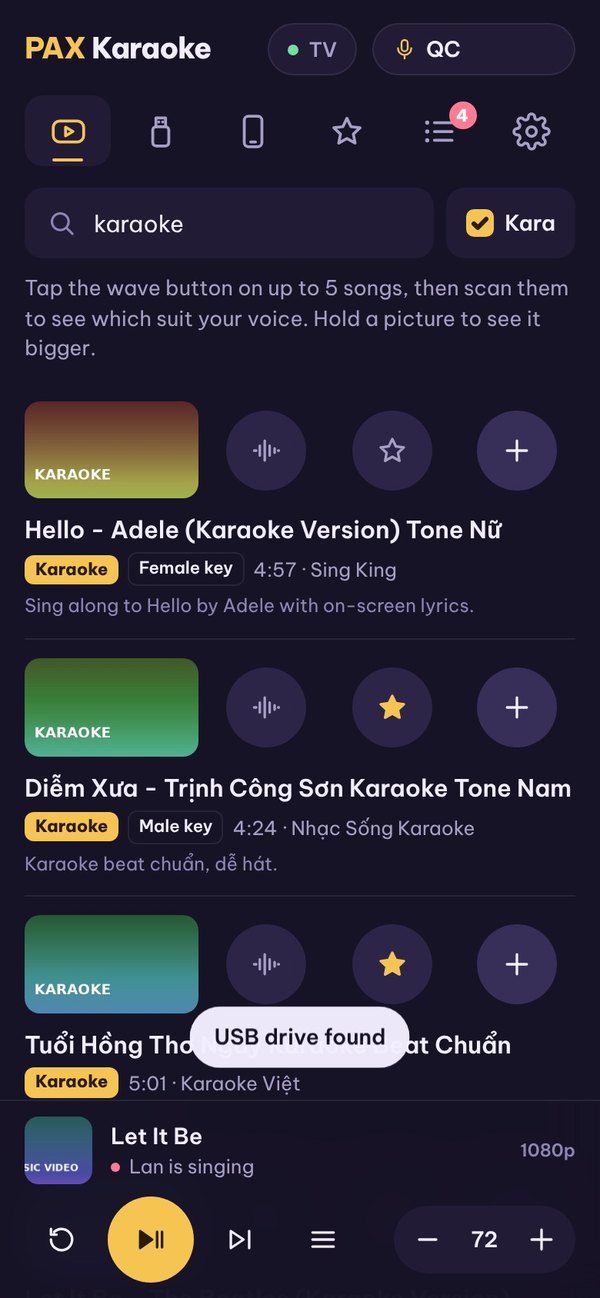
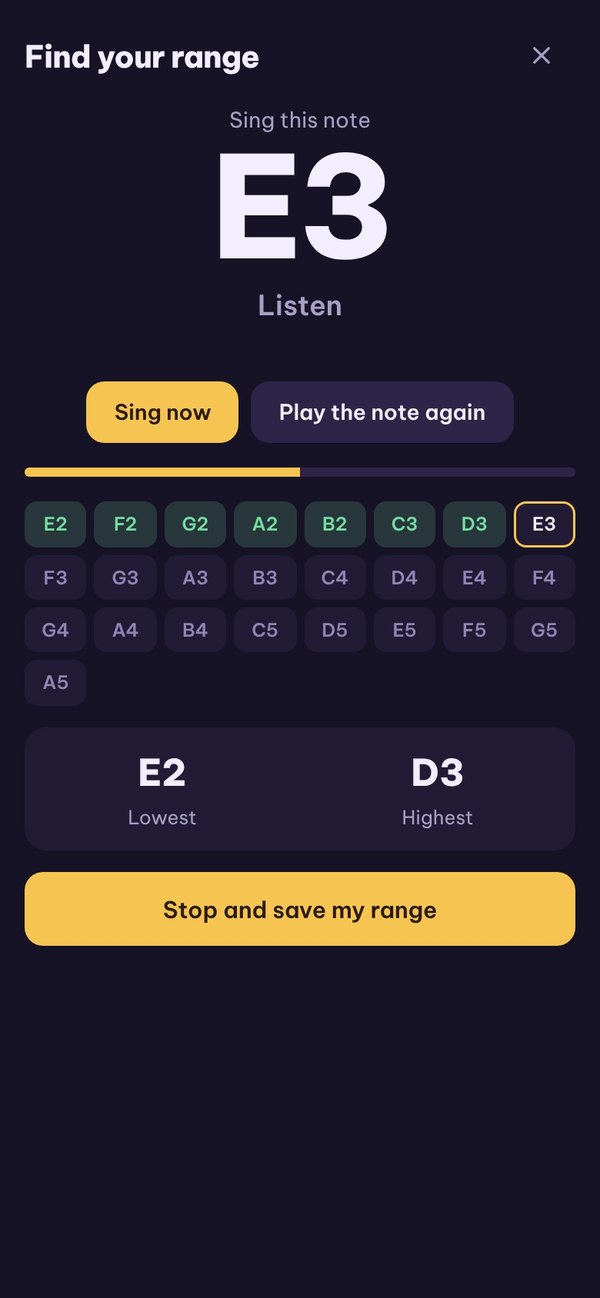
Know your range, pick the right key
- Range test: the phone plays guitar or piano notes, you sing them back.
- Scan up to 5 songs: ranked for your voice, with the key to sing each one in.
- Save them to Favorites with your key.
Practice: in tune and on the beat
- Put on wired headphones and sing along on the phone.
- See how many cents sharp or flat you are, and how many milliseconds early or late.
- Get a score each time and keep your best.
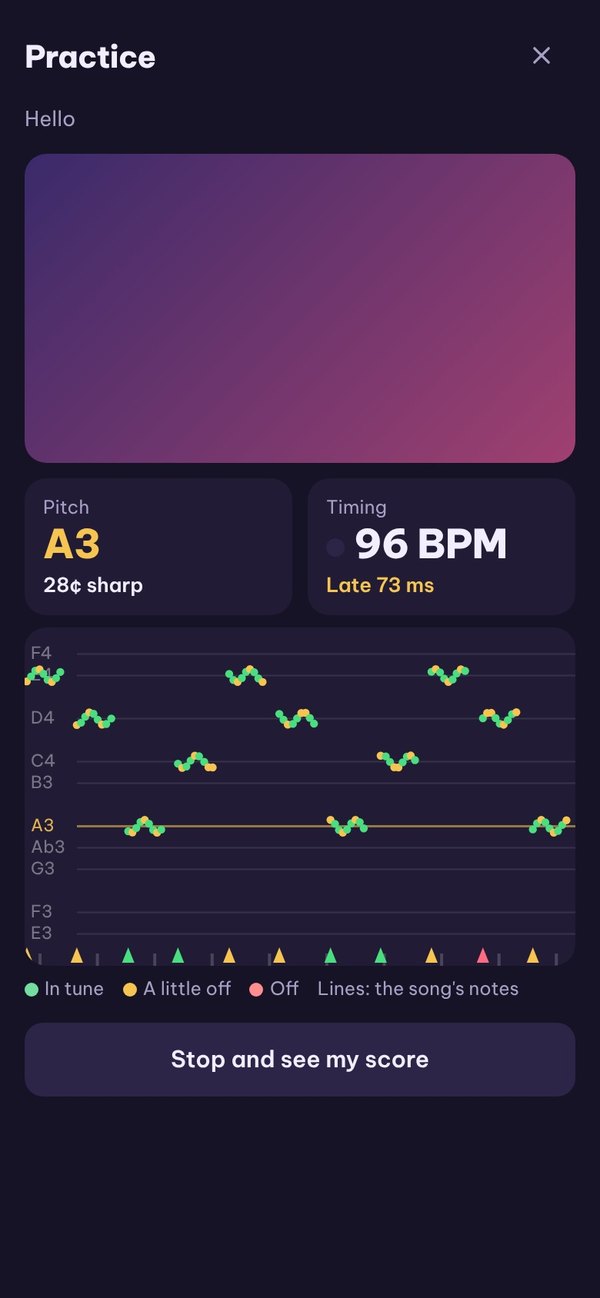
Your own songs, from the phone or a USB drive
- Plug a USB drive into the phone: its songs appear, tap + to play one on the TV.
- Or copy songs into the PKR_Media folder on the phone.
- MP4, MP3, FLAC, WAV and more.
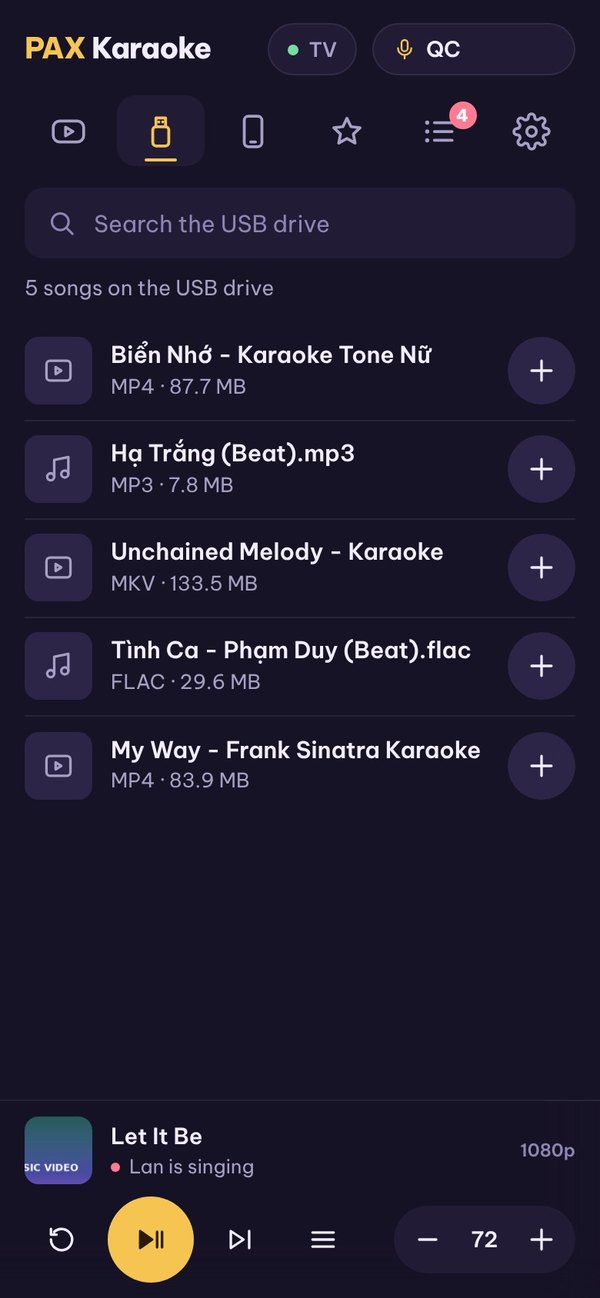
For restaurants and bars
- The setup
- One Android 10 tablet and a USB-C to HDMI cable. No karaoke player or song hard drive.
- Guests queue their own songs
- Guests scan the QR code on the TV with their phone. It carries your guest Wi-Fi, so use a guest network.
- A get-ready card before each song
- The singer's name, the song and a 0, 10, 20 or 30 second countdown.
- Settings behind a PIN
- Only someone with the PIN shown on the TV can change settings.
Your sponsor line on every song
Download
In testing. Install the APK files directly; Google Play and App Store versions are coming.
Needs: Android 5.0 or newer for the TV app (Android 10 recommended), Android 7.0 or newer for the remote, shared Wi-Fi and internet for YouTube. Installing an APK: allow "install unknown apps" when asked.